How to setup a conversion goal in Google Analytics
To setup a conversion goal on Google Analytics, sign in, navigate to the admin page, select goals and complete the flow.


To setup a conversion goal on Google Analytics, sign in, navigate to the admin page, select goals and complete the flow.
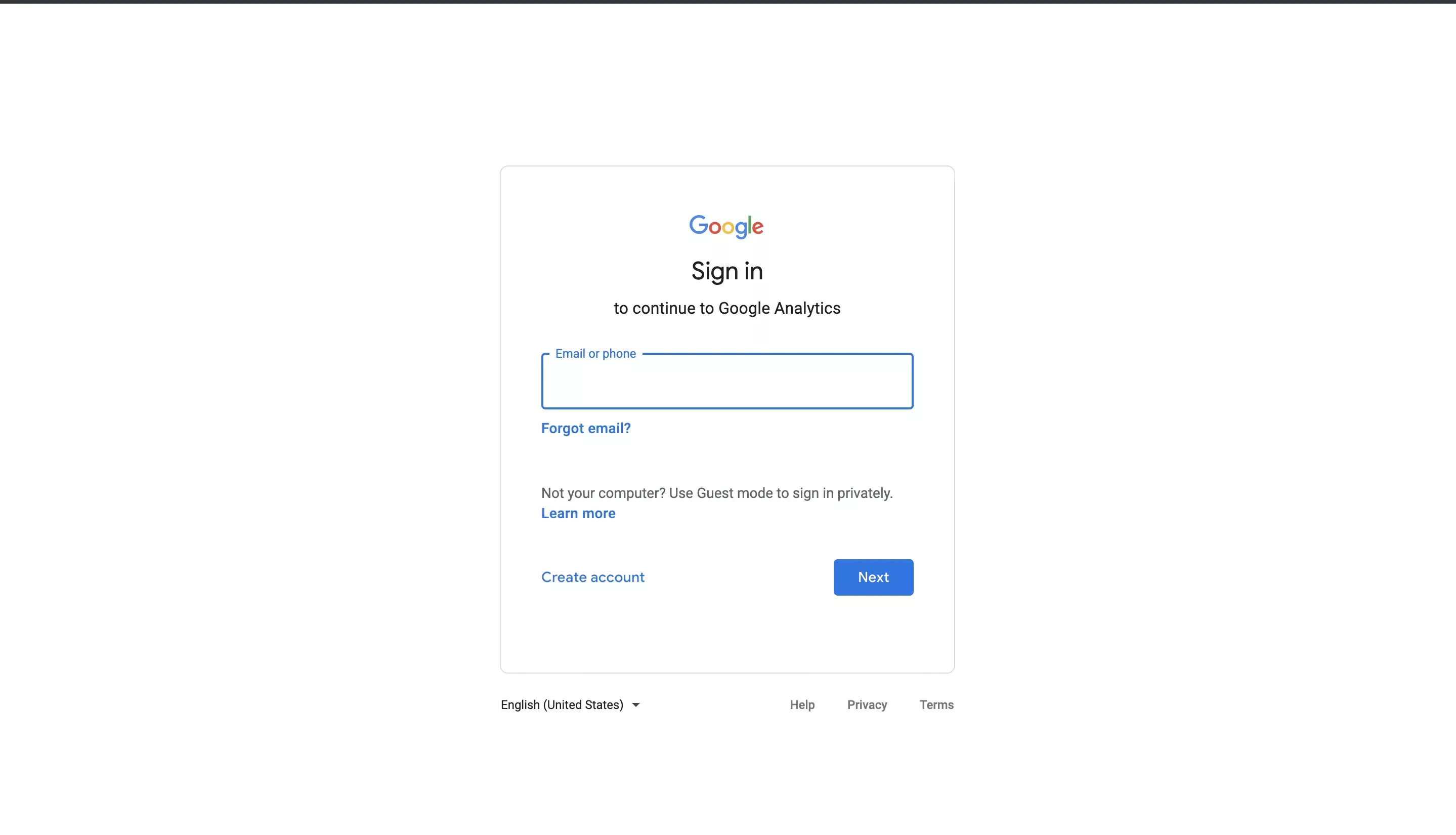
Step One: Sign into Google Analytics
Go to Google Analytics and sign in.
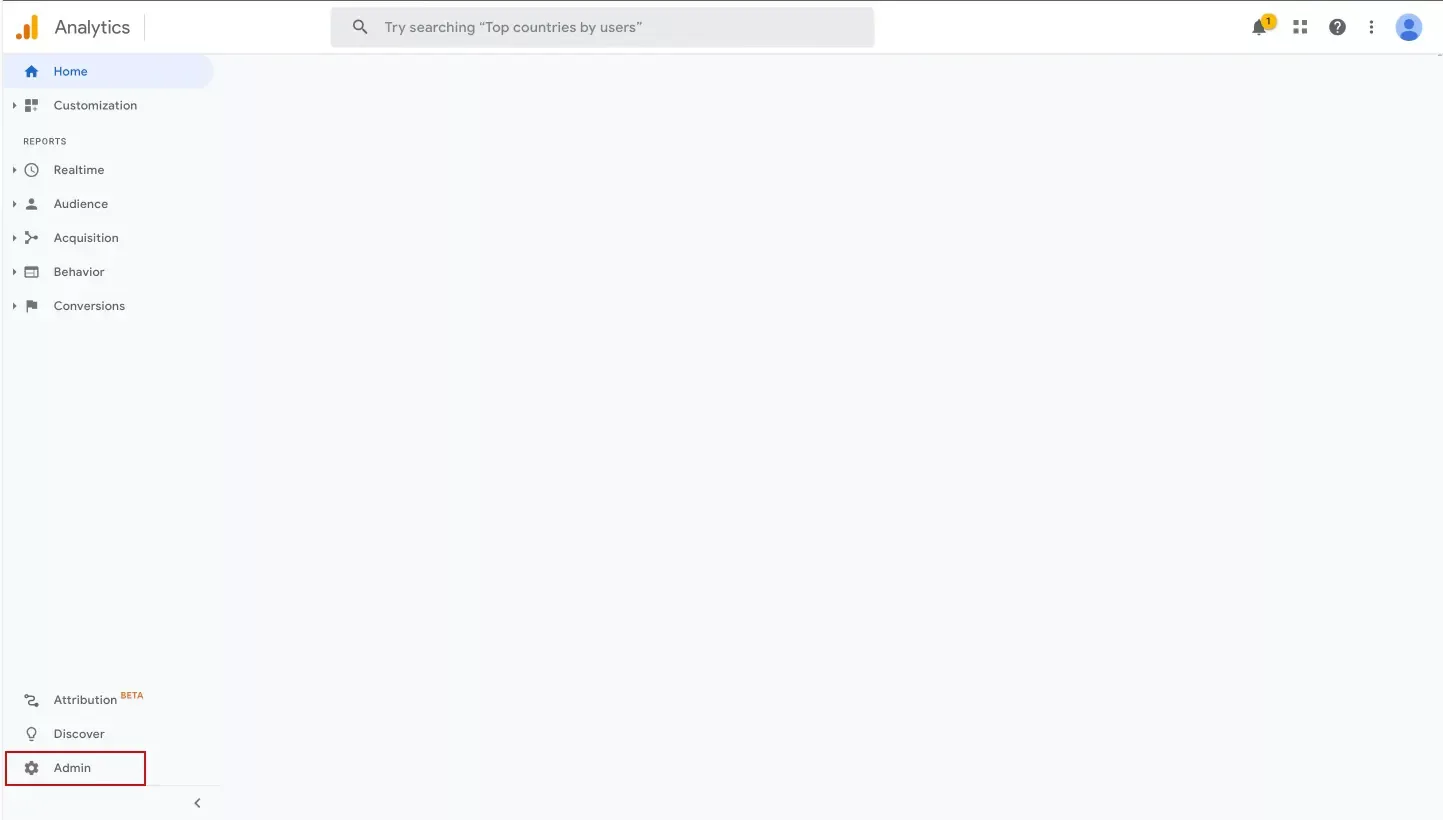
Step Two: Select Admin on the sidebar
On the bottom left, select Admin.
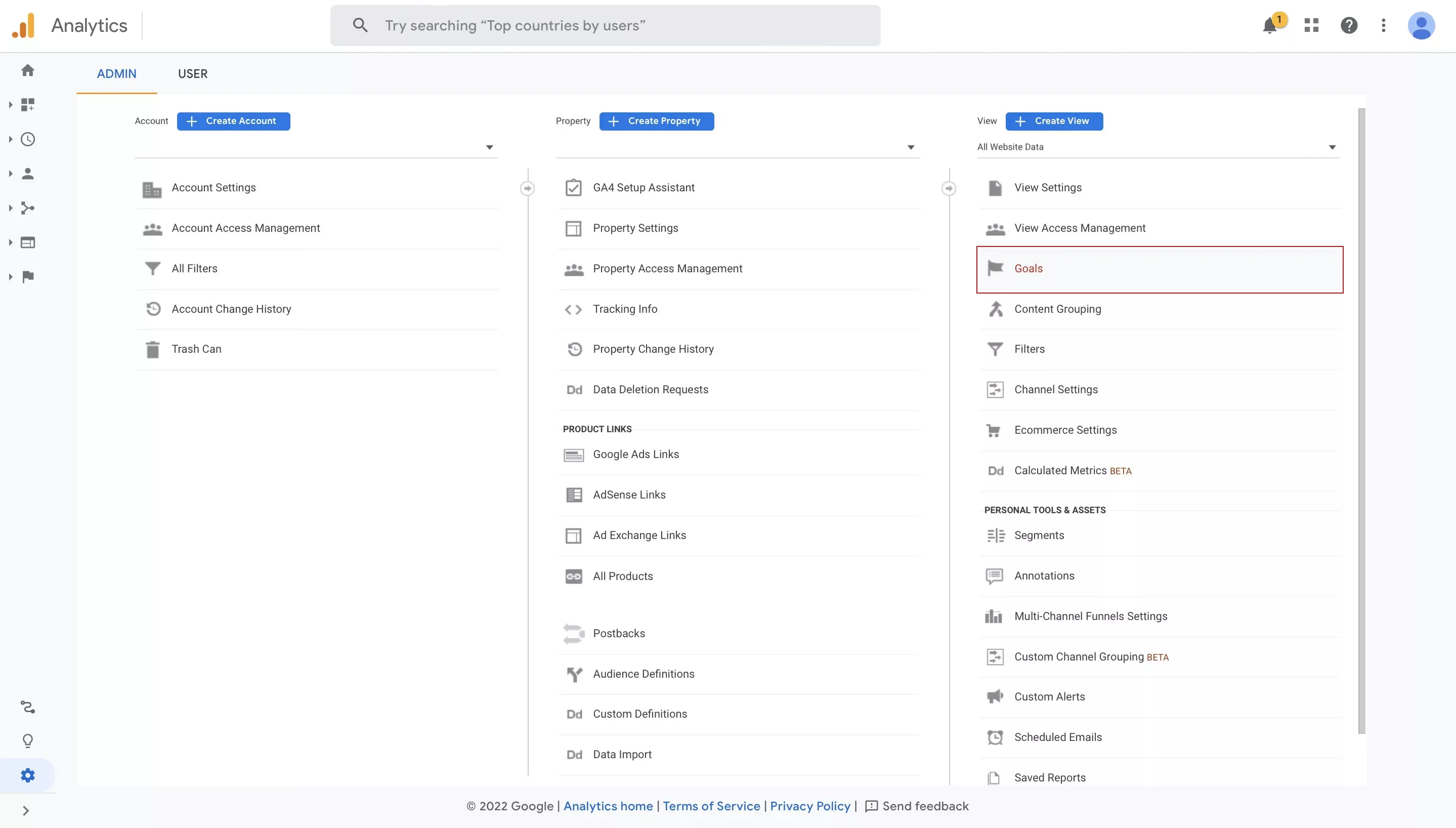
Step Three: Select Goals under View
On the top right, select Goals.
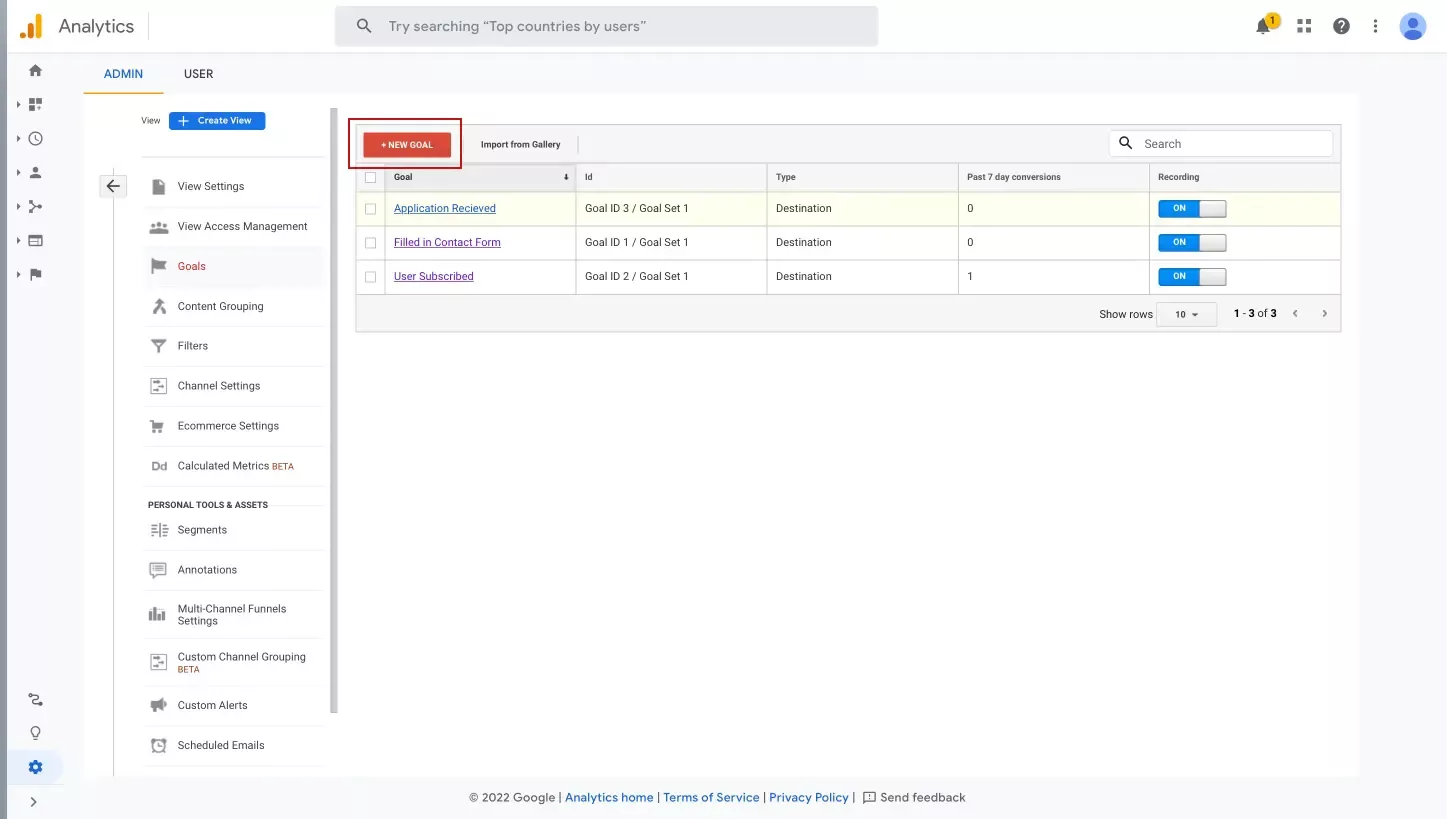
Step Four: Add a new Goal
Select + New Goal on the top left.
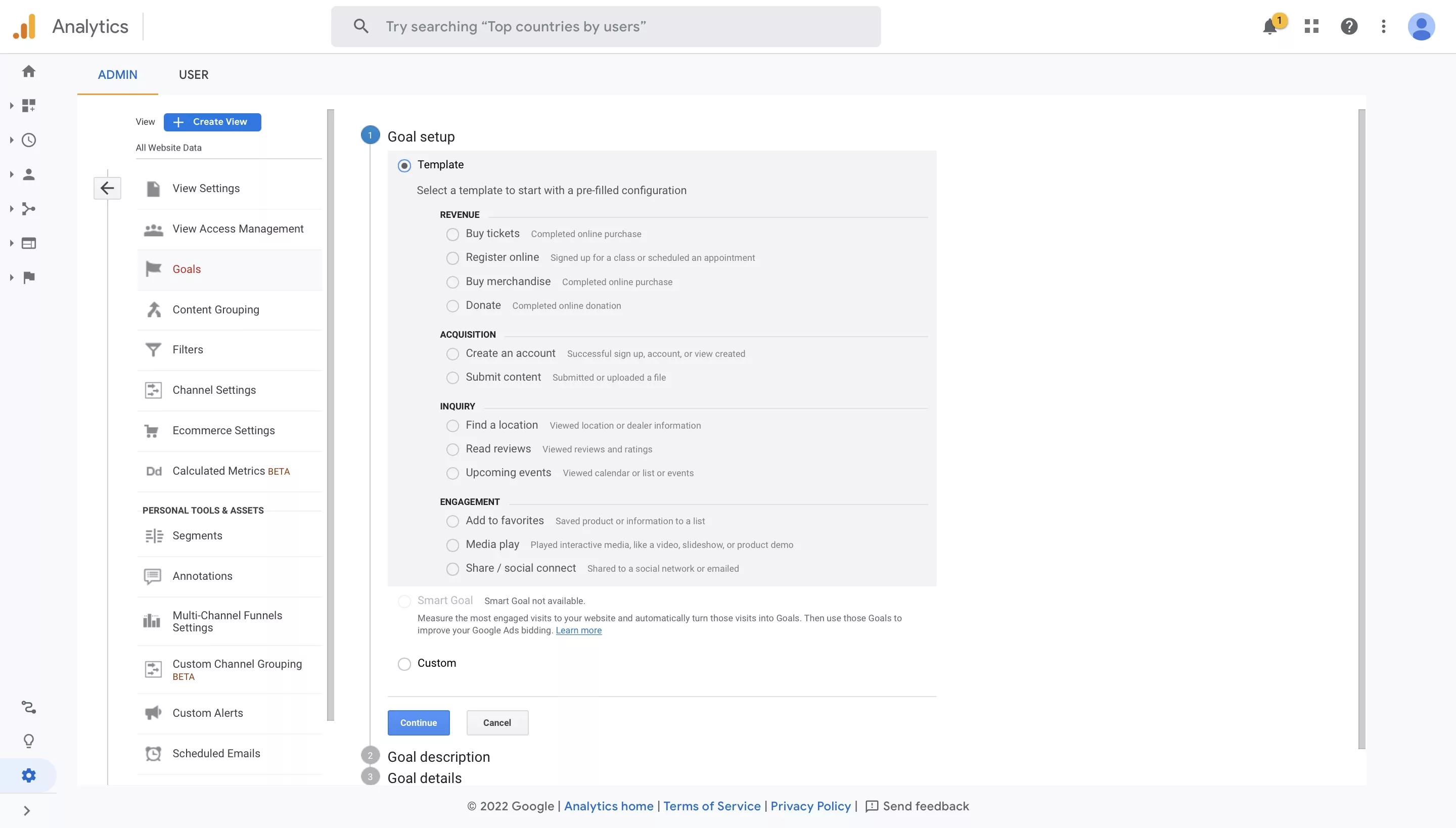
Step Five: Select your Goal Setup
Select a Template or select Custom.
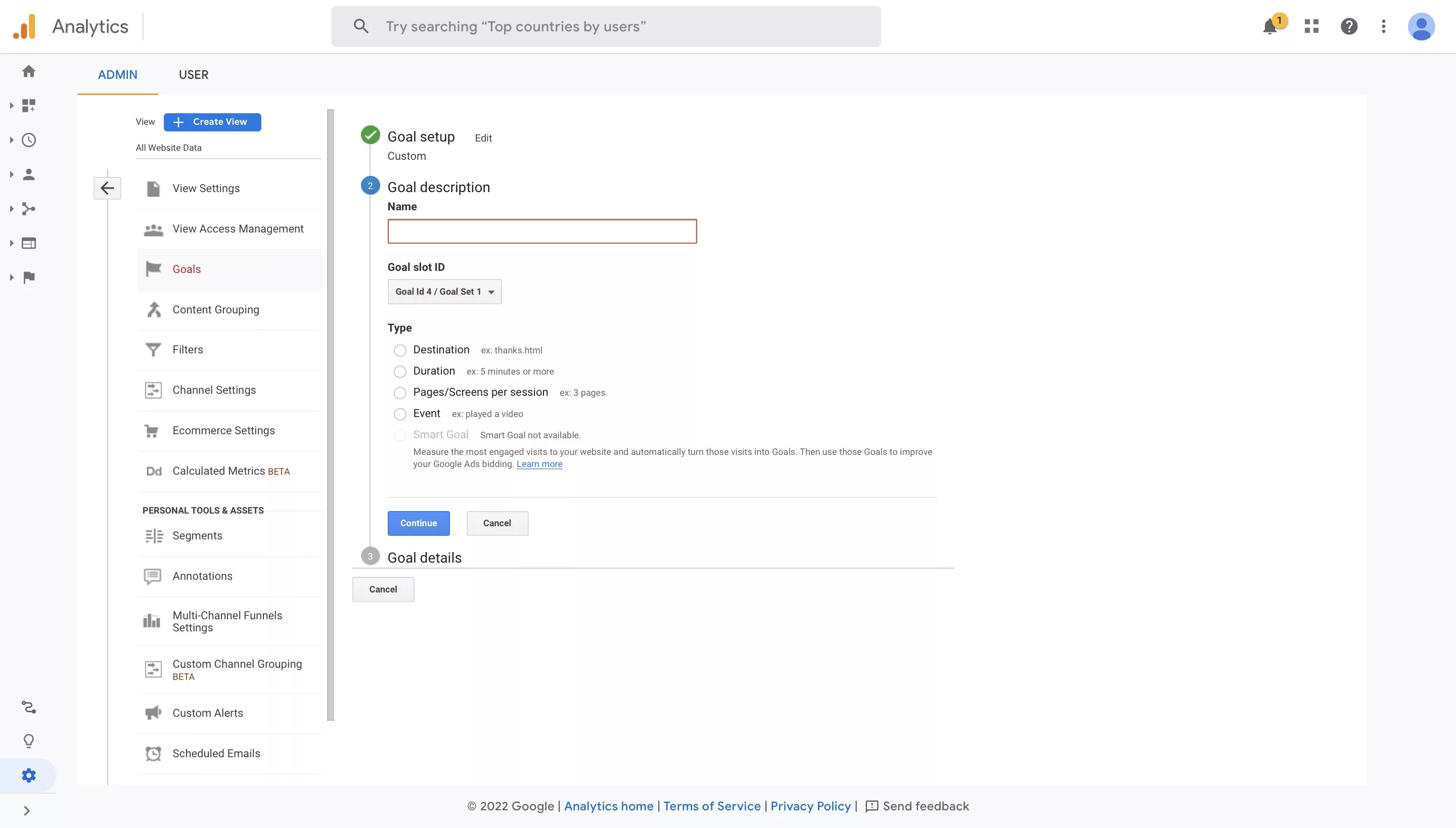
Step Six: Complete your Goal Description
Give your goal a name and select its type.
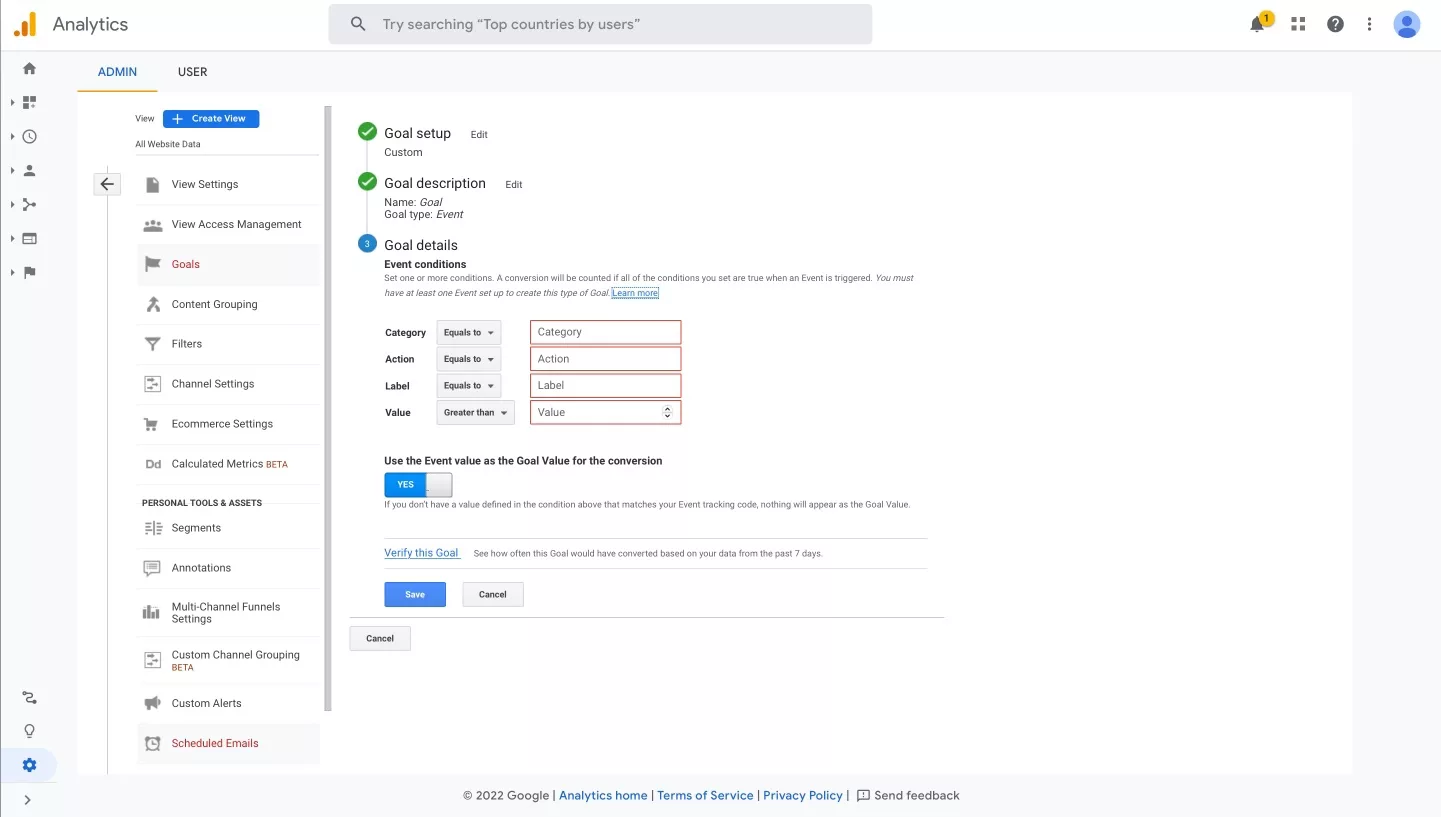
Step Seven: Complete your Goal Details
In this tutorial we cover the Event Goal. Complete the Category, Action, Label and Value conditions.
Any Questions
We are actively looking for feedback on how to improve this resource. Please send us a note to inquiries@delasign.com with any thoughts or feedback you may have.